Google Home’s Android Widget Finally Stopped Wrecking Your Battery — Here’s What Else You’re Missing

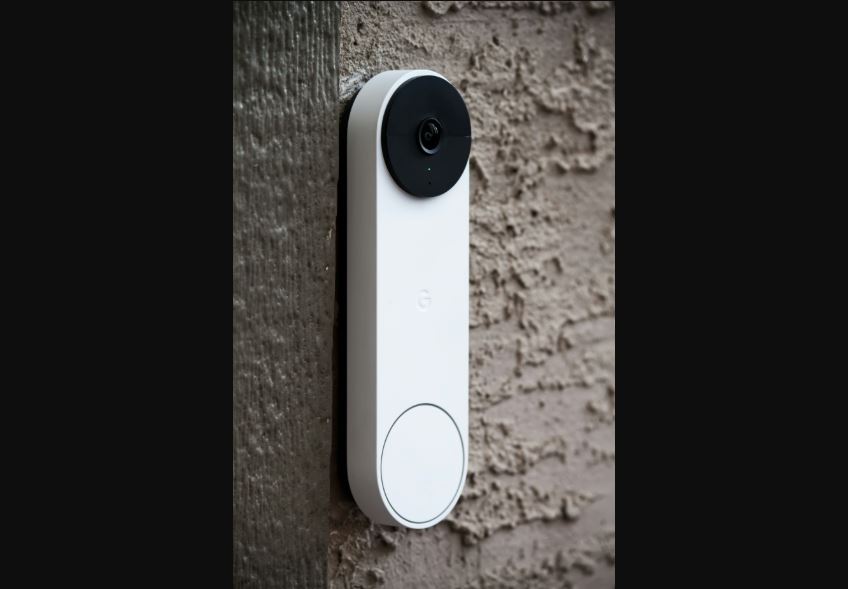
If you’ve kept a Google Home widget pinned to your homescreen, you’ve probably noticed it doing something annoying: draining battery in the background even when you’re not looking at it, and occasionally showing your camera and sensor tiles as gray, blank rectangles until you back out of the screen and reload. Google finally fixed both problems on September 16, and it’s the kind of unglamorous update that actually improves daily life more than a flashy new feature would.
What changed
Per 9to5Google, the widget now pauses its background polling the moment your screen goes dark, locks, or drops into a screensaver — then refreshes instantly the second you unlock your phone. Previously, it kept checking in on your devices’ status around the clock, which is exactly the kind of always-on background activity that quietly chips away at a phone’s battery life over a full day. The gray-tile bug — where camera, sensor, and smoke/CO detector tiles would go blank after you backed out of a device’s control screen — is also gone. You shouldn’t need to force-reload the widget anymore just to see whether your porch camera is online.
It’s a small fix, but if you’re someone who checks a Google Home widget a dozen times a day, the battery savings add up. This rolled out as part of a broader Home app and Gemini for Home update, so if you haven’t seen it yet, check the Play Store for pending updates.
The automations you’re probably not using
While the widget fix is the news, it’s a good excuse to revisit something Google shipped earlier this year that most people set up once and then forgot about: an expanded automations engine that lets appliances most people don’t think of as “smart triggers” actually kick off routines. A few worth setting up if you haven’t already:
- Let your washer or dryer end a routine. Set an automation so that when your dryer’s cycle finishes, your smart speaker announces it and a hallway light flashes — genuinely useful if you’re the type who forgets laundry is running.
- Trigger lighting off your TV’s playback state. Dim the lights automatically when a show starts playing and bring them back up when it’s paused — no more fumbling for a switch mid-movie.
- Use volume thresholds as a trigger. If the TV volume crosses a level you’ve set, you can have it automatically nudge brightness or send a notification — handy for late-night viewing in a house where someone else is sleeping.
- Schedule your coffee maker. If your machine is Matter- or Google Home-compatible, a simple time-based routine beats getting up ten minutes early to start the pot yourself.
- Send robot vacuums back to the dock on a schedule rather than remembering to check on them — particularly useful before guests arrive.
Security automations got smarter too, though Google intentionally left one gap: you can schedule your system to arm automatically at set times, but not to disarm — that one still requires a manual unlock or code entry, which is a sensible guardrail against a bad actor exploiting a predictable schedule.
The unglamorous fixes — batteries, gray tiles, background polling — are usually the ones that actually change how a smart home feels to live with day to day.
Where this doesn’t reach yet
Not everything is automatable. Smart ovens and most robot mops are still left out of the expanded trigger list, according to Gadget Hacks‘ rundown of the update, so if your smart home dreams involve a self-scheduling oven, you’ll be waiting a bit longer. For everything else — washers, dryers, coffee machines, blinds, vacuums, and entertainment systems — it’s worth spending ten minutes in the Google Home app’s Automations tab this weekend. Most people have two or three obvious routines sitting there unclaimed.
Sources: 9to5Google, Gadget Hacks. Featured image by James Yarema on Unsplash.

Harish
I am the founder of androidcaptain.com, a tech graduate and writes which covers android, smartphones, apps, software, and the rapidly evolving world of artificial intelligence. I focus on breaking down new technologies, exploring useful features, and helping readers understand how their devices and software can work better for them.