CMF’s $59 Milk-Carton Speaker Is the Smart Buy. The $109 Model Has to Earn Its Extra $50
Nothing's CMF launched the Speaker S at $59 and Speaker M at $109. Same battery life and IP68 rating, so the extra $50 buys sound alone.

Nothing’s budget brand, CMF, has spent the last couple of years selling cheap earbuds, watches and phones with a design streak. Now it has speakers. The CMF Speaker S costs $59 and the CMF Speaker M costs $109, and both went on sale October 12 through Nothing’s US store and select retail partners.
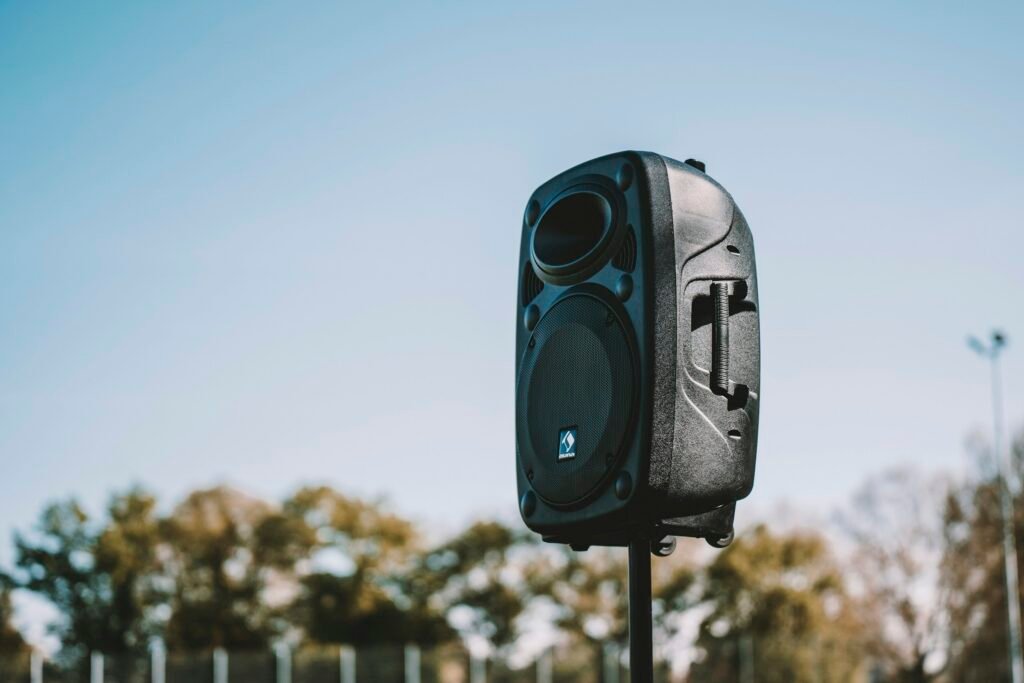
They look like milk cartons. That’s not a dig; it’s how nearly everyone covering the launch described them, from 9to5Google to GSMArena. Each comes in white, dark gray, orange and turquoise, and each color gets its own design on the chunky knob up top.
The spec sheet, side by side
The two speakers share almost everything except the drivers. Here’s how they compare, based on the specs published by GSMArena and SoundGuys:
| Spec | CMF Speaker S | CMF Speaker M |
|---|---|---|
| Price | $59 | $109 |
| Output | 10W RMS | 35W RMS total |
| Drivers | 45mm full-range driver, two passive radiators | 25W woofer + 10W tweeter |
| Frequency response | 70Hz to 20kHz | 60Hz to 20kHz |
| Battery life | Up to 18 hours | Up to 18 hours |
| Quick charge | 10 min for about 1 hour | 10 min for about 1 hour |
| Water and dust | IP68 | IP68 |
| Bluetooth | 6.0 | 6.0 |
One note on that IP rating: 9to5Google’s launch report mentioned IP68 only for the Speaker M, while GSMArena and SoundGuys list IP68 for both. We’re going with the two detailed spec sheets. The 18-hour battery figure is measured at 50% volume with the Ultra Bass mode on, so expect less if you crank it outdoors.
The Android-friendly extras
This is where CMF punches above the price. Both speakers support Google Fast Pair, so an Android phone pops up a pairing card the moment you turn one on. There’s also NFC tap-to-pair, Microsoft Swift Pair for Windows laptops and dual-device connections, so your phone and a tablet can both stay linked.
- Stereo Mode pairs two identical speakers as a left and right set.
- Party Mode uses Auracast to link two or more compatible speakers, and GSMArena notes it works with other brands, not just CMF.
- USB-C audio lets you play over a cable.
- The Nothing X app adds adaptive tuning, Ultra Bass, Wide Soundstage and four EQ presets: Balanced, More Bass, More Treble and Voice.
The knob handles playback, track skipping, volume and Ultra Bass, and 9to5Google says its extra functions are customizable. Dedicated buttons on the back cover power, pairing and Auracast.
Which one should you buy?
For most people, the Speaker S. At $59 it gets the same battery life, the same Bluetooth 6.0 radio, the same water resistance and the same app features as the M. The things that make a portable speaker pleasant to own, fast pairing, a long battery and not worrying about a pool splash, are all there.
The Speaker M’s extra $50 buys you one thing: sound. A separate woofer and tweeter, 35 watts against 10 and a lower bass floor of 60Hz should fill a backyard or a kitchen much better than a single 45mm driver can. If the speaker is going to be the main music source in a room, that upgrade is worth paying for.
What we can’t tell you yet is how either one actually sounds. Spec sheets don’t capture tuning, and CMF is new to this category. The pricing is aggressive, the feature list is generous for the money, and Auracast support that plays nicely with other brands is a smart touch. If you’ve been eyeing a cheap Bluetooth speaker for a Pixel or Galaxy phone, these belong on the shortlist, with the S as the safer bet until reviews land.
Sources: GSMArena, SoundGuys, 9to5Google. Photo by Max Zindel on Unsplash.

Harish
I am the founder of androidcaptain.com, a tech graduate and writes which covers android, smartphones, apps, software, and the rapidly evolving world of artificial intelligence. I focus on breaking down new technologies, exploring useful features, and helping readers understand how their devices and software can work better for them.