Gemini Tasks Is Now Free: Google’s AI Agent Will Call Businesses and Check Out for You
Gemini Tasks, Google's AI agent formerly called Spark, is now free in the US. Here's what it can do, how to turn it on and what to watch out for.


In this article
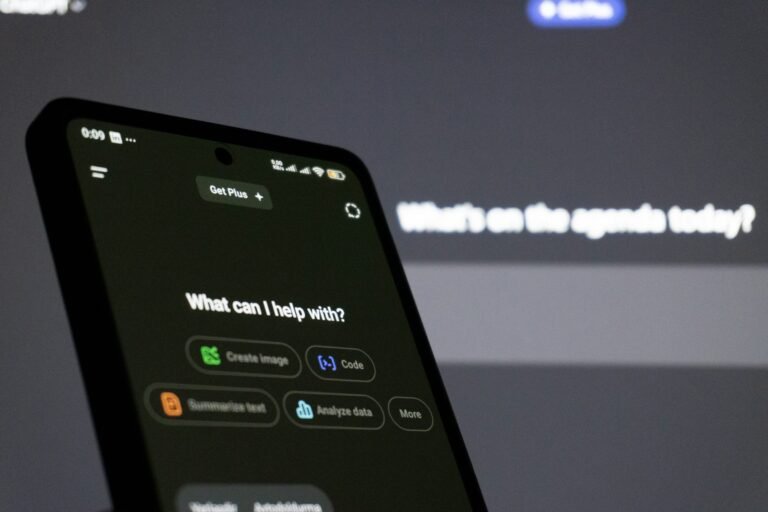
For most of this year, Google’s most ambitious Gemini feature sat behind a paywall. As of this week, it doesn’t. On Tuesday, Nov. 17, Google began rolling out Tasks, the agent mode it first introduced as Gemini Spark, to free Gemini users in the US, Canada, Japan, South Korea, Australia and India.
This isn’t a chatbot getting a new trick. Tasks is a background agent that works through websites, fills carts and, in the US, picks up the phone and calls businesses on your behalf. Until now you needed a paid Google AI plan to touch it; Google AI Pro alone runs $19.99 a month. Josh Woodward, who leads the Gemini app, framed the move bluntly: “Our goal is for Gemini to save you time and money.”
What Gemini Tasks actually does
Flip Gemini into Task mode and it takes on multi-step jobs that would normally eat an afternoon: planning a trip, researching a purchase, building a morning briefing or running a recurring chore. It runs on Gemini 4 Hydrogen, the faster everyday model Google launched last week, and it plugs into more than 60 popular apps, according to PPC Land and Android Headlines. That’s up from “more than 40” when paid subscribers got it in October.
The new capabilities that arrived alongside the free rollout are what make it feel like an assistant rather than a search box. Several start in the US first:
- Calls to businesses. Gemini can phone local shops to ask questions or book appointments. In Google’s own example, it found the nearest repair shops on Google Maps “and called both at once.” It tells the person on the other end that it’s an AI. PPC Land notes calling isn’t available in Indiana, Louisiana, Minnesota, Montana or Nebraska.
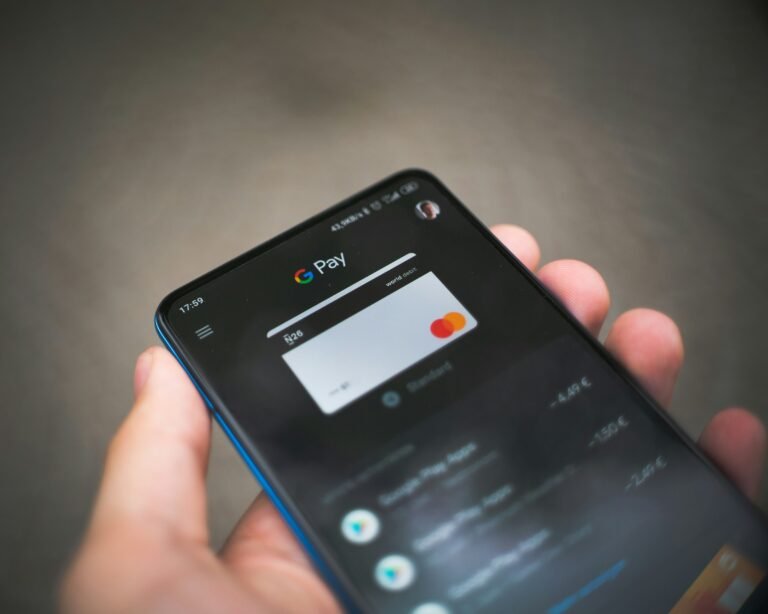
- Google Pay checkout. Tasks can complete online purchases through Google Pay, with a spending cap you set ahead of time.
- Texting Gemini. You can start a task by texting Gemini over RCS from Google Messages, or from iMessage on an iPhone. It requires a US phone number on an eligible carrier.
- Email forwarding. Forward a message to gemini@google.com and Gemini can act on it, such as turning an invite into calendar events.
- Password Manager sign-ins. Gemini can log in to sites, like a utility account to analyze your bill, through Google Password Manager without your password leaving Google.
- Workspace jobs. Drafting or sending email, creating and editing Docs and Sheets, and adding several Calendar events at once.
Coverage differs slightly on geography. Android Headlines describes the whole package as reaching all six countries, while PPC Land, reading Google’s announcement more closely, says the calling, texting and email-forwarding features start in the US only. If you’re outside the US, assume the core agent arrives first and the extras follow.
How to turn on Gemini Tasks
The rollout is gradual, so don’t worry if the option isn’t there yet. When it reaches your account:
- Update the Gemini app from the Play Store (it’s also on iPhone and at gemini.google.com).
- On the Gemini home screen, find the Chat / Task toggle above the prompt box. On the web, it sits below the box.
- Switch it to Task and describe the job in plain language, including any budget or deadline.
- Approve app connections when Gemini asks for them.
To text Gemini instead, open the app’s Settings, go to Channels, tap Set up under Text with Gemini and verify your phone number.
The guardrails, and why you should use them
Handing an AI your payment method is a real leap of trust, and Google clearly knows it. Each task runs in a hardware-isolated virtual machine tied to your account, with prompt-injection defenses and Google Safe Browsing watching the pages it visits. Gemini is designed to ask for confirmation before it clicks buy, unless you’ve pre-approved a routine order, and it stops at the spending cap you set.
Some sites will simply block an automated agent. When that happens, Gemini hands the final step back to you. You can also unlink connected apps, change your limits and delete task history at any time.
Our advice: set a low spending cap at first, leave purchase confirmations on and watch a few tasks run before you let it book anything that costs real money. An agent that’s right 95% of the time is still wrong on the 5% that matters.
Our take: free is the right call, but the fine print is thin
Making Tasks free is the smartest thing Google has done with Gemini this fall. Agents only get good when lots of people throw messy, real-world chores at them, and a $19.99 paywall was never going to produce that volume. Google says the rollout reaches “hundreds of millions of people,” and with Android’s install base behind it, Gemini now has an agent in more pockets than any rival can easily match.
What Google hasn’t said is how much free users actually get. None of the coverage, and none of Google’s own posts, spell out a daily or monthly task limit for the free tier, and that number will decide whether this is a real assistant or a teaser for AI Pro. Woodward calls Gemini “your best choice as a personal assistant.” The usage caps, once people start hitting them, will tell us whether that holds up.
Sources: 9to5Google, Android Central, PPC Land, Android Headlines. Photo by Solen Feyissa on Unsplash.

Sidharth
Hey there ! I am Sidharth Shankar, I am an editor at Android Captain. A computer science engineer with 7 years of experience in the technology field, I cover apps, Reviews, AI features, wearables and hands-on how-to guides for Android users.