Gemini 4 Neon Is Google’s New Middle Model, and AI Pro Subscribers Get It Now
Gemini 4 Neon brings near-Carbon reasoning at nearly twice the speed, and it's live in the Gemini app for Google AI Pro and Ultra users.

In this article
Google is now shipping Gemini models faster than most people can learn their names. Gemini 4 Neon arrived on Nov. 18, eight days after Gemini 4 Carbon and six days after Gemini 4 Hydrogen, and it may be the one that matters most to people who pay for Gemini on their phones.
Neon is the middle child of the Gemini 4 family, and Google is pitching it as having “frontier-level reasoning for complex, high-frequency workflows faster and more cost efficiently.” Translated: close to Carbon’s smarts, at something like Flash speed. Even Google DeepMind’s Logan Kilpatrick admitted the company was “having a little too much fun with naming.”
Where Gemini 4 Neon fits, and who can use it
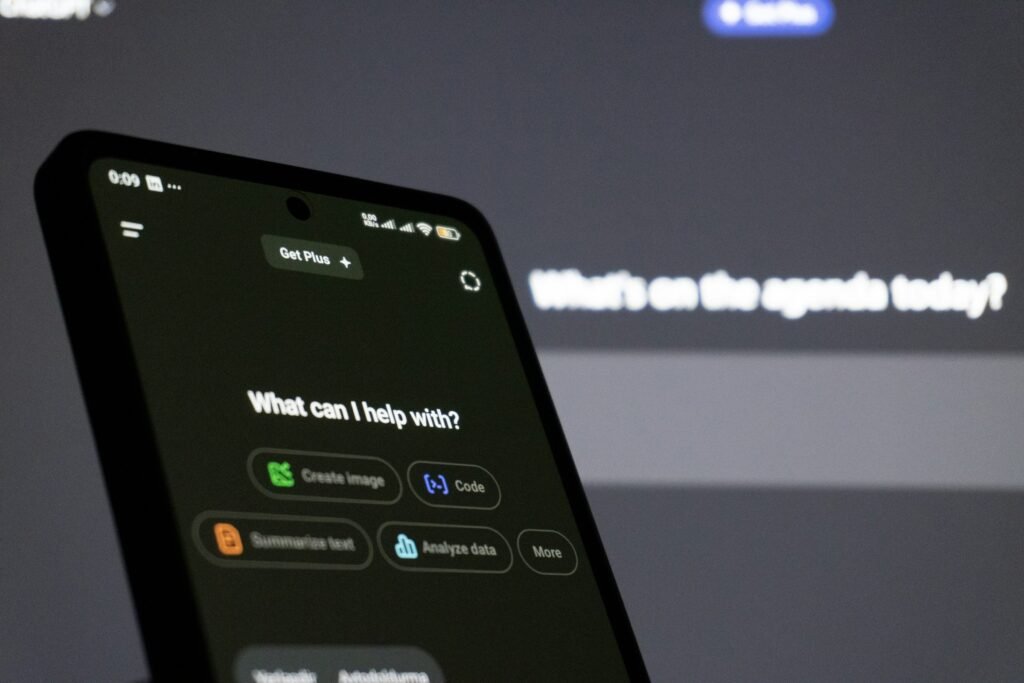
If you open the Gemini app on your Android phone with a Google AI Pro or AI Ultra subscription, the model picker now reads like this:
- Auto: picks for you, depending on the request
- Everyday help: Gemini 4 Hydrogen
- Deeper analysis: Gemini 4 Neon
- Code & complex work: Gemini 4 Carbon
The key detail, per Kilpatrick, is that AI Pro subscribers can select Neon, while Carbon remains an Ultra perk. So for the much larger group of people paying for Pro rather than Ultra, Neon is effectively the most capable Gemini they can use. It replaces Gemini 4 Argon in the app, Gemini 3.1 Pro is being retired, and Gemini 3.5 Flash-Lite becomes the “Auto” option for paid users. None of the coverage so far mentions Neon for free Gemini users.
Developers get it too: Neon is on the paid Gemini API in Google AI Studio and Android Studio, and in Google’s Antigravity coding tool for Pro and Ultra subscribers.
What Neon actually does better
Google’s pitch for everyday users centers on knowledge work rather than raw coding. According to 9to5Google, Neon brings clearer, more direct writing, more precise reading of uploaded spreadsheets, PDFs and photos, better pulling of details from Gmail and Docs, and web research for fast-moving topics like comparing vendor prices. It can also run Tasks in Gemini for multi-step jobs, with Google’s examples including analyzing billing statements and cross-checking receipts.
It has a 1-million-token context window that can hold video, audio, charts, spreadsheets and PDFs at once, plus four thinking levels: Low, Medium, High and Extra High.
The benchmark story is unusually strong for a “mid” model. Artificial Analysis puts Neon third on its Intelligence Index with a score of 61 at its highest thinking setting, one point above Carbon’s 60. On Zapier’s AutomationBench, Neon scored 56.3%, ahead of Anthropic’s Claude Opus 5.5 at 42.5% and OpenAI’s GPT-6.2 Sol at 41.3%, according to VentureBeat. It isn’t a clean sweep: Opus 5.5 edges it on Terminal-Bench 4.1 (65.8% to 65.2%) and on Cognition’s FrontierCode 2.0 (47.3% to 46.2%), and Sol beats it on Chartography (75.1% to 73.5%).
Speed is the bigger deal. VentureBeat cites measurements of roughly 110 tokens per second for Neon versus about 59 for Carbon, nearly twice as fast. Google claims a 32% lower cost per task than Carbon at default settings, though Artificial Analysis says that edge narrows to about 17% at the top thinking level. Glean’s Thai Tran said that in early testing it “matched or exceeded Gemini 4 Carbon on overall quality at 3x the speed and 60% of the cost.”
Gemini 4 Neon API pricing vs. rivals
For developers building Android apps on Gemini, here’s how Neon’s list price compares, per million tokens:
| Model | Input (per 1M tokens) | Output (per 1M tokens) |
|---|---|---|
| Gemini 4 Hydrogen | $1.50 | $7.50 |
| Claude Sonnet 5.5 | $2 | $10 |
| GPT-6.2 Sol (up to 272K input) | $2 | $10 |
| Gemini 4 Neon | $3 | $15 |
| Claude Opus 5.5 | $4 | $20 |
| Gemini 4 Carbon (from Dec. 1) | $4 | $20 |
Carbon is on a promotional $2/$10 rate through Nov. 30, so right now Carbon is actually cheaper per token than Neon. That flips on Dec. 1, when Carbon moves to $4/$20 and Neon becomes 25% cheaper. Cached input for Neon runs $0.15 per million tokens.
What it means if you use Gemini on Android
If you’re on the free tier, nothing changes today. If you pay for AI Pro, this is a meaningful upgrade you should switch on deliberately: open the Gemini app’s model picker and choose Deeper analysis when you’re doing something that rewards thinking, like comparing plans in a long PDF or untangling a credit card statement. Leave quick questions on Auto or Hydrogen; they’ll come back faster.
The bigger takeaway is that Google’s lineup finally makes some sense from a phone. Hydrogen for quick help, Neon for real work, Carbon for the heavy lifting if you pay for Ultra. Four new models in roughly a month is a lot to keep track of, but for Pro subscribers, Neon is the one worth learning.
Sources: 9to5Google, VentureBeat, MLQ.ai. Photo by Zulfugar Karimov on Unsplash.

Sidharth
Hey there ! I am Sidharth Shankar, I am an editor at Android Captain. A computer science engineer with 7 years of experience in the technology field, I cover apps, Reviews, AI features, wearables and hands-on how-to guides for Android users.