Gemini in Android Auto Can Now Read Your Gmail and Calendar. Here’s How to Turn It On
Gemini Personal Intelligence is rolling out to Android Auto, pulling from Gmail, Calendar, Photos and Maps. Here's who gets it and how to turn it on.

In this article
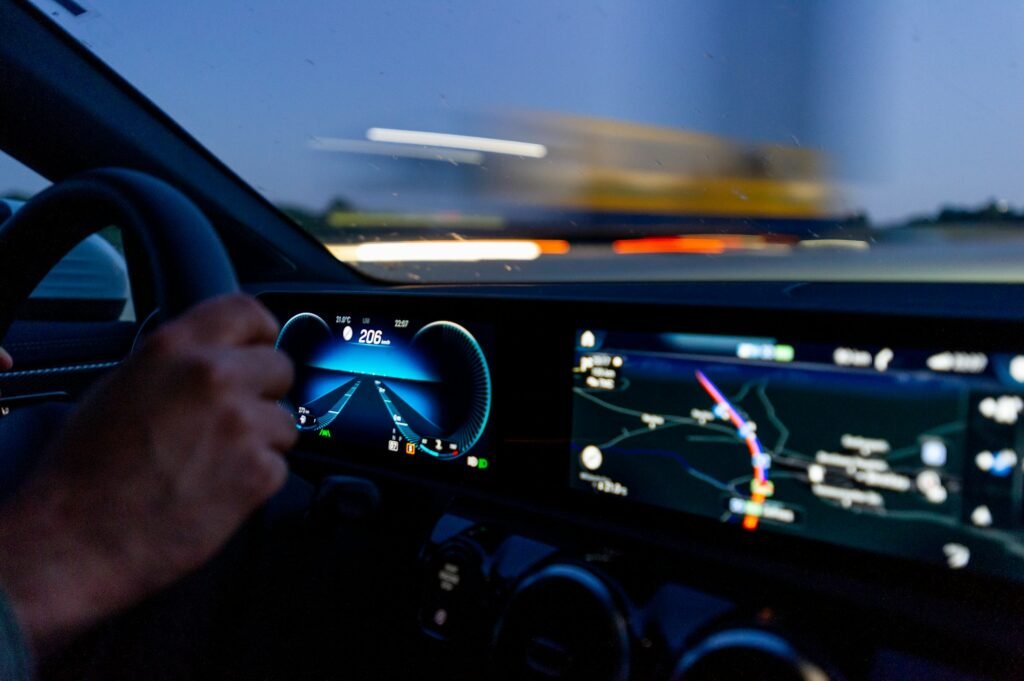
Gemini has been the voice in Android Auto since April, when Google retired Assistant from the car. Until this week, though, it was a fairly generic voice. It could find a gas station, read a text, or start a playlist, but it didn’t know anything about you. That changed on October 20, when Google started rolling out Personal Intelligence for Gemini on Android Auto.
The pitch is simple: stop dictating addresses and confirmation numbers while you drive. If the details live in your Gmail, Calendar, Photos or Maps history, Gemini can go get them. Whether that sounds like a relief or a little invasive probably depends on how you already feel about Gemini reading your inbox.
What Personal Intelligence actually does in the car
Personal Intelligence isn’t new. Google launched it as a Labs experiment for paid AI Pro and AI Ultra subscribers, then opened it to free personal accounts in the U.S. in March across the Gemini app, AI Mode in Search and Gemini in Chrome. What’s new is that it now follows you into the car.
With your permission, Gemini can draw on Google Workspace apps including Gmail and Google Calendar, plus Google Photos, Google Maps, YouTube and Search. Google’s own examples, from the announcement post by Gemini senior product manager Karan Daryanani, give a good sense of where this is aimed:
- Airport runs: ask what gate your flight leaves from and whether it’s on time, in a single question. Gemini pulls the booking from Gmail.
- Appointments: say “take me to my doctor’s appointment” without knowing the address. The calendar entry fills it in.
- Road-trip food: ask for an indoor restaurant along your route that fits your usual preferences, such as vegetarian.
- Photo memory: navigate to a car wash you snapped a picture of last week.
- Picking up a thread: head to the coffee shop you were talking to Gemini about yesterday.
That last one is the most interesting. Gemini in the car can now carry context from earlier conversations, which is the kind of continuity Assistant never really had. Android Central also notes Gemini can dig through your photos to find your car’s tires and look up information about them, which is handy the next time a shop asks what size you run.
Who gets it, and who doesn’t
The fine print matters here, because Personal Intelligence is not available to every Android Auto user.
- Personal Google accounts only. Workspace accounts from businesses, schools and universities are excluded.
- 18 and older.
- Most of the world, with exceptions. Google says it’s available globally except the European Economic Area, Switzerland, the United Kingdom and Nigeria. U.S. drivers are in.
- Android Auto first. Cars with Google built-in, the Android Automotive systems in some newer vehicles, get it “in the coming months.”
Google hasn’t tied the car feature to a paid plan. Since Personal Intelligence already reached free U.S. personal accounts in March, a free Google account should be enough, but Google’s post doesn’t spell out tiers, so treat that as likely rather than guaranteed. The rollout is also gradual. Android Headlines points out that not everyone will see it on day one.
How to turn it on
There’s no switch inside Android Auto itself. The setting lives on your phone, and it carries over.
- Open the Gemini app on your phone.
- Go to Gemini’s Settings and find Personal Intelligence.
- Turn it on, then choose which apps to connect (Gmail, Calendar, Photos and so on).
- Connect your phone to your car as usual. Once the rollout reaches your account, Gemini in Android Auto picks up the same permissions.
If you already turned on Personal Intelligence in the Gemini app, you don’t need to do anything. It’s already coming to your car.
And how to keep it off
It’s opt-in. “Your apps aren’t connected until you choose to turn it on,” Google says, and you can switch it off any time in the same Gemini settings. Without it, Gemini in Android Auto still handles navigation, music, calls and general questions; the answers just won’t be tailored to you. For cars with Google built-in, Google says personal responses are shared “only when you’re in the car with your phone connected,” which should keep a borrowed or rental car from reading out someone else’s dentist appointment.
Is it worth it?
For a lot of drivers, yes. The car is the one place where typing is dangerous and voice assistants have historically been at their dumbest. Asking “what’s my gate?” and getting the answer without thumbing through email at a red light is a real safety win, not a gimmick.
But the trade-off is plain. You’re giving an AI model standing access to your inbox, calendar and photo library, and asking it to speak that information out loud in a car that might have passengers. Google says it built the feature “with privacy at the center,” and it has previously said it doesn’t train its models on your Gmail or Photos content. That’s reassuring on paper. It doesn’t stop Gemini from announcing your appointment to whoever’s riding shotgun.
My advice: if you commute alone and already let Gemini into Gmail on your phone, turn it on and enjoy never reading an address off your screen again. If you share a car with family or drive for a rideshare service, think about which apps you connect. Calendar and Maps are low-risk. Photos and Gmail are where the awkward moments live.
Either way, this is the clearest sign yet of where Google wants Android Auto to go. Assistant answered questions. Gemini, with Personal Intelligence, is meant to already know the answer before you finish asking.
Sources: Google, 9to5Google, Android Central, Android Headlines. Photo by Randy Tarampi on Unsplash.

Harish
I am the founder of androidcaptain.com, a tech graduate and writes which covers android, smartphones, apps, software, and the rapidly evolving world of artificial intelligence. I focus on breaking down new technologies, exploring useful features, and helping readers understand how their devices and software can work better for them.