Pixel November Update Bugs Pile Up: AOD, Lock Screen, Wi-Fi and Pocket Touches
Pixel November update bugs now include AOD, lock screen, Wi-Fi and pocket-touch problems. Here's which Pixels are hit and the workarounds that help.

In this article
The camera wasn’t the only thing Google’s November Pixel update broke.
Three days after the rollout began on Nov. 10, Pixel owners on Reddit and Google’s own support forums are reporting a growing list of problems: an always-on display that gets stuck behind the notification drawer, lock screen clocks that won’t change, a notification shade that takes extra swipes to close, Wi-Fi and Bluetooth switching themselves off, and phones that register touches inside a pocket after they’ve been locked. Android Authority, MobileSyrup and Talk Android have all documented the reports.
Google hasn’t acknowledged any of them publicly or promised a fix. Android Authority notes the official Pixel Community account on Reddit appears to have noticed the threads, which is usually the first sign a patch is being looked at. Until then, here’s what’s going wrong, which phones are affected, and what actually helps.
An update meant to fix bugs
The irony stings. The November release, part of the Android 17 QPR2 cycle and the November Pixel Drop, shipped with 33 listed fixes according to 9to5Google, covering everything from a virtual keyboard that sometimes failed to appear to a charging indicator that showed up with no charger attached. It’s rolling out to phones from the Pixel 6a through the Pixel 11 series, plus the Pixel Tablet, alongside the Pixel Drop features that gave the Pixel 10 Gemini Intelligence and new icon styles.
Some of the new bugs land in the very areas Google said it was cleaning up, including the notification shade and Adaptive Connectivity.
Every bug reported so far
Reports are concentrated on newer hardware, but they aren’t limited to one model. Here’s the list as of Nov. 13, with the phones named in reports and any workaround that has helped people.
| Bug | Phones named in reports | Workaround |
|---|---|---|
| Camera shows “Something went wrong” or a black viewfinder in every camera app | Pixel 10 and Pixel 11 series, including Pixel 11 Pro XL | Power off completely, wait about five minutes, power on |
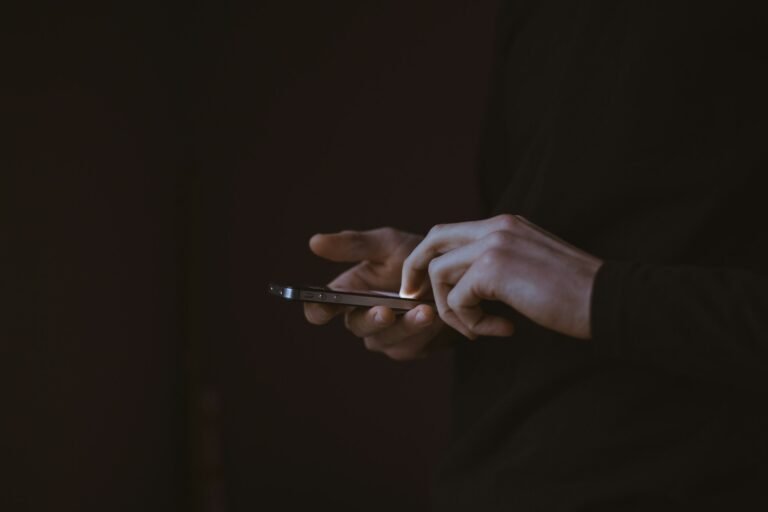
| Phone registers pocket touches for a few seconds after locking, even with Tap to Wake off | Multiple Pixel models | Wait about five seconds before pocketing the phone |
| Notification drawer appears over the always-on display | Pixel 9 Pro Fold and others | None yet |
| Inner screen stays dark when unfolded until the power button is pressed | Pixel 9 Pro Fold | Press the power button |
| Lock screen clock style can’t be changed, even after a reboot | Pixel 10 Pro XL | None yet |
| Notification shade needs extra swipes to close; home screen swipe-down doesn’t open it | Multiple Pixel models | None yet |
| Notifications sometimes play no sound | Reported by a MobileSyrup editor | Restart (temporary) |
| NFC, Bluetooth or Wi-Fi turn off at random; enterprise Wi-Fi drops | Multiple Pixel models | Turn off Adaptive Connectivity (not a fix for enterprise Wi-Fi) |
| Low-light screensaver doesn’t dim while charging at night | Multiple Pixel models | Lower brightness manually |
| Desktop Mode: no HDMI audio through USB-C docks, dock icons vanish on auto-lock, full-screen windows don’t fill freed space | Pixels using Desktop Mode | None yet |
Android Authority calls the pocket-touch and camera problems the most widespread, while cautioning that the issues don’t look universal yet. That’s fair. A handful of Reddit and forum threads isn’t a recall-level event, and plenty of Pixel owners have updated without trouble.
The pocket-touch bug is the sneaky one
Most of these are annoyances. This one can cost you. One Redditor timed the window at about four seconds after locking, and more than half a dozen others in the thread confirmed the same behavior. Four seconds is plenty of time for a pocket to dial someone, open an app or toggle a setting. Until there’s a patch, count to five before the phone goes in your jeans.
What to do right now
If your phone hasn’t installed the November update yet, you have a decision to make. If it has, there’s no supported way to roll back without wiping the phone, so work around the problems instead.
If you haven’t updated
- Don’t rush it if you rely on Desktop Mode or enterprise Wi-Fi. Those bugs have no workaround, and they hit work setups hardest.
- Do update if you’re on an older patch level and care about security. The November release also carries Google’s monthly security fixes, which matter more than a stubborn clock style.
If you already updated
- Camera broken? Power the phone off fully, wait five minutes, then turn it back on. We covered this fix in detail in our Pixel camera guide.
- Wi-Fi, Bluetooth or NFC dropping? Go to Settings > Network & internet > Adaptive Connectivity and switch it off.
- Screensaver too bright at night? Drop the brightness slider before you dock the phone.
- Notifications silent? A restart brings sound back temporarily.
- Report it. Use Settings > About phone > Send feedback about this device. Bug reports with logs reach Google’s engineers faster than forum posts.
When will Google fix it?
There’s no date, and Google hasn’t said a word. History offers some guidance: Google has pushed out-of-cycle fixes for severe Pixel regressions before, but smaller bugs often wait for the next monthly release, which would put the December update in early-to-mid December.
That’s a long time to count to five before pocketing your phone. If the camera and touch problems spread, expect pressure on Google to ship a point release sooner. We’ll update this story if Google responds.
For now, the November update is a reminder that a Pixel Drop with a long list of fixes is still new code. If your phone depends on one of the features above for work, waiting a few days for the reports to settle is a reasonable call.
Sources: Android Authority, MobileSyrup, Talk Android, Phandroid. Photo by Sebastian Bednarek on Unsplash.

Sidharth
Hey there ! I am Sidharth Shankar, I am an editor at Android Captain. A computer science engineer with 7 years of experience in the technology field, I cover apps, Reviews, AI features, wearables and hands-on how-to guides for Android users.