Android App Lock Is Coming, but Google Says Older Android Versions Won’t Get It
Android's native App Lock is in beta on Pixel and Galaxy phones, but Google says it can't come to older Android versions. Here's who gets it.

In this article
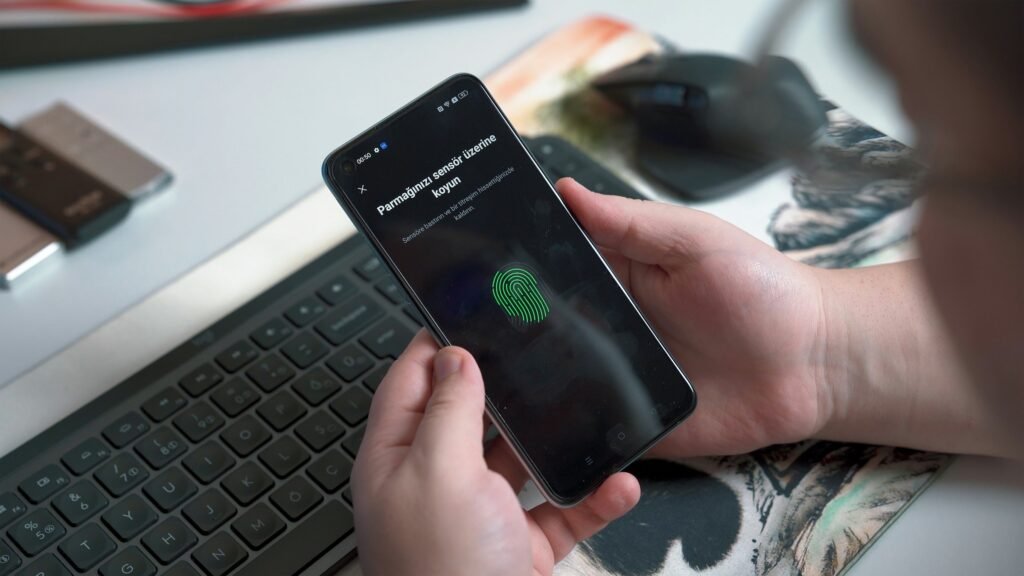
Android’s native App Lock is finally back in testing, and it’s the kind of feature people have wanted for years: lock a single app behind your fingerprint, and nobody who borrows your phone can open it. There’s just one problem. If your phone isn’t getting Android 17’s next big update, you’re not getting App Lock either. Google has now said so plainly.
“The current implementation can’t be backported to previous Android versions via Google Play system updates,” reads the Reddit reply that Android Headlines reported on Nov. 20. The reason is technical: App Lock relies on new APIs in the core Android platform, not something Google can deliver through a Play Store or Play Services update.
That’s a bigger deal than it sounds, and it says a lot about how Android updates work right now.
What Android App Lock actually does
App Lock lets you pick individual apps and require your screen lock credential to open them. There’s no separate App Lock PIN. It uses the fingerprint or PIN you already have, and Android Headlines says pattern and password work too.
It goes beyond simply blocking the app from opening. According to 9to5Google and PhoneArena, a locked app:
- hides the content of its notifications,
- hides its preview in the recent apps screen,
- removes its widgets and shortcuts, and
- keeps its data away from AI services on the phone.
The last point matters more every month. With Gemini reading your screen, your Wallet and your messages, a system-level way to say “not this app” is a real privacy control, not just a feature for keeping your kids out of your banking app.
Who gets App Lock, and when
Right now, App Lock is in beta in two places:
- Pixel phones running Android 17 QPR3 Beta 3. PhoneArena says it reached all eligible Pixels in that beta, from the Pixel 7 series up to the Pixel 11.
- Samsung Galaxy phones running the One UI 9.5 beta, which is currently open to the Galaxy S26 series in the U.S.
The plan shared in that Reddit thread is to release App Lock in the stable Android 17 QPR3 update in the first quarter of 2027. A comment quoted by 9to5Google points to March, and Android Headlines notes that plans can change. For Samsung, 9to5Google expects the Galaxy S27 to ship with it and estimates One UI 9.5 could reach older Galaxy phones around May, based on how One UI 8.5 rolled out. That’s an estimate, not a Samsung commitment.
The feature has already slipped once. It first appeared in an Android 17 QPR2 beta build in August, then Google pulled it. The company said at the time it needed to “temporarily pull back the feature from the QPR2 Beta” before returning it in QPR3 Beta 3 last week.
There’s a small dispute over who posted Google’s comments. 9to5Google attributes the Reddit post to Google’s Community Engagement Manager, while Android Headlines names Mishaal Rahman. Either way, both outlets cite the same r/Android thread, and the message is the same.
How to turn on App Lock (if you’re in the beta)
If you’re on Android 17 QPR3 Beta 3 on a Pixel, setup takes about 10 seconds:
- Long-press the app icon on your home screen or in the app drawer.
- Tap App Lock in the menu.
- Tap Add app lock in the pop-up.
- Confirm with your fingerprint or PIN.
The next time you open the app, Android will ask for your credential first. To join the beta, enroll your Pixel through the Android Beta for Pixel program. Be aware that beta builds can have bugs, and leaving the beta later requires wiping your phone.
Why “no backport” stings
Google has spent years moving features out of the OS and into Play services so they reach more phones. Find Hub, Quick Share and many security fixes all reach older phones that way. App Lock is a reminder that the approach has limits. Some features need changes deep in the system, and those only reach phones whose makers ship the full OS update.
That leaves a lot of people out. Android 17 was on about 1% of phones four months after launch. A budget phone stuck on Android 15 or 16 will never get App Lock, even with current Play updates.
My view: Google made the right technical call, but the timing is bad. Apple shipped locked and hidden apps on the iPhone back in iOS 18, and iPhone users could use them on every phone that got that update. Android owners will wait until 2027, and only on new or well-supported phones.
What to use in the meantime
You’re not stuck with nothing:
- Private space (Android 15 and later, including Pixels) lets you put apps in a separate, locked area of the app drawer.
- Samsung Secure Folder does something similar on Galaxy phones and has been around for years.
- Manufacturer app locks, like the built-in one on Xiaomi phones, are already available on some brands.
- Third-party app lockers from the Play Store work too, but they need broad permissions, so stick to well-reviewed ones.
None of these is as tidy as a lock you set with a single long-press. But if you need to protect a banking or messaging app today, they’ll do until App Lock arrives.
Sources: 9to5Google, Android Headlines, PhoneArena. Photo by Onur Binay on Unsplash.

Sidharth
Hey there ! I am Sidharth Shankar, I am an editor at Android Captain. A computer science engineer with 7 years of experience in the technology field, I cover apps, Reviews, AI features, wearables and hands-on how-to guides for Android users.