Googlebook’s Phone Tricks Finally Work With Galaxy Phones, if You Have One UI 9
Google’s Better Together update brings Googlebook phone features to Samsung Galaxy phones, but only those already running One UI 9.


In this article
A week after Googlebooks hit U.S. stores, the laptops’ best feature is starting to work for the people most likely to own an Android phone in the first place: Samsung users.
Google has begun rolling out an update to the “Better Together” features that tie a Googlebook to an Android phone, and the changes appear to switch on Samsung Galaxy support, which was missing at launch. Galaxy owners on Reddit confirmed the features now work on their Googlebooks, 9to5Google reported on Saturday, October 10.
What was broken
Googlebooks went on sale October 4 at $900 to $1,300, and their pitch leaned hard on how well they play with your phone. Better Together covers app streaming (running phone apps in a window on the laptop), Instant Hotspot, notification sync, cross-device file access and “Continue On” for compatible apps.
Pixel owners got all of it out of the box. Galaxy owners got none of it. Chrome Unboxed reported that Google blamed a software dependency waiting on an update from Samsung’s side, not a hardware problem. Google’s Mishaal Rahman told buyers in a Reddit megathread that support “will be rolling out across all Android 17-supported Samsung devices” and apologized for the inconvenience. One Reddit user said they returned their Googlebook because it wouldn’t work with a Galaxy Z Fold 8; another complained the limitation was buried in footnotes.
That’s a rough start for a product whose whole identity is being the laptop for Android people. Samsung is the biggest Android brand in the U.S., so “Pixel only, for now” was never going to fly.
What changed
According to Google’s Reddit post, the rollout brings a smoother first-time setup with fewer steps, plus a fix for a bug that kept showing the pairing QR code after pairing was already done. Even Pixel owners had complained that features were slow to activate or flaky, Instant Hotspot aside.
The update arrives through two phone-side components, both delivered via the Play Store rather than a full system update:
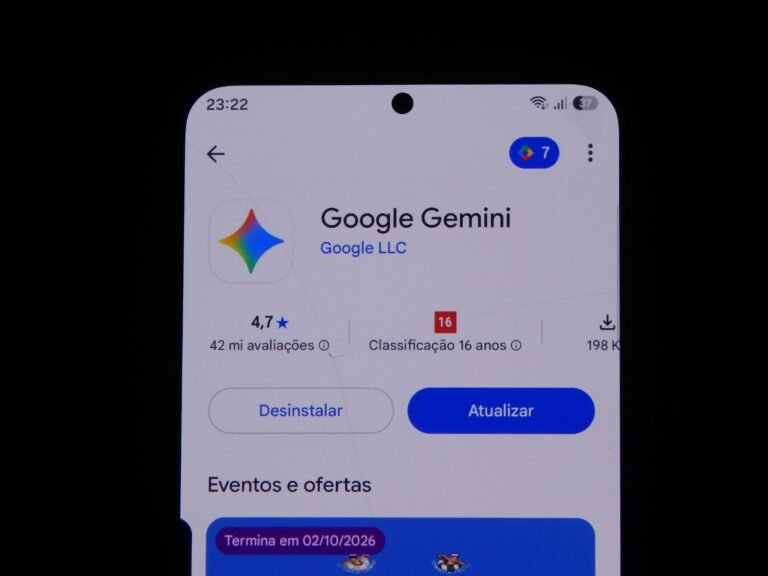
- Google Play services version 26.37 or higher
- Cross-device services version 1.0.1346 or higher
The catch: you need One UI 9
Better Together requires Android 17 on the phone. For Samsung owners, that means One UI 9, and Samsung’s rollout is still patchy. Here’s where the major Galaxy models stood as of October 10, according to 9to5Google’s tracker:
| Galaxy model | One UI 9 / Android 17 status |
|---|---|
| Galaxy S26, S26+, S26 Ultra | Rolling out (since Sept. 29) |
| Galaxy S25, S25+, S25 Ultra | Rolling out more widely |
| Galaxy S25 FE, S25 Edge | Limited availability |
| Galaxy S24, S24+, S24 Ultra | Limited availability (since Oct. 6) |
| Galaxy Z Fold 7, Z Flip 7, Z Flip 7 FE | Limited availability |
| Galaxy Z Fold 6, Z Flip 6 | Limited availability (since Oct. 6) |
| Galaxy Z TriFold | Limited availability |
| Galaxy A57 | Limited availability |
If your Galaxy is still on One UI 8, this Googlebook update can’t help you yet, and Samsung hasn’t published an official schedule.
How to get it working
Google posted a checklist for anyone whose phone and Googlebook still won’t talk to each other:
- Confirm your phone runs Android 17 (Settings > About phone > Android version).
- Sign in to the same personal Google account on both devices, with Bluetooth and Wi-Fi turned on.
- Use a private home Wi-Fi network. Hotel, café, office and guest networks often isolate devices from each other. Pause any VPN or DNS blocker.
- Update Google Play services to 26.37 or later and Cross-device services to 1.0.1346 or later.
- On the phone, open Cross-device services > Continue activity and turn on Tasks, Apps, Notifications, and Files & media sharing.
- Restart both the phone and the Googlebook.
The Wi-Fi step is the one most people will trip over. If you’re setting this up at a coffee shop, wait until you get home.
Our take
This is the fix Googlebook needed, and it landed within a week, quicker than Google’s vague “coming weeks” suggested. But the experience still hinges on Samsung’s update pace. If you own a Galaxy S26 or S25, a Googlebook makes a lot more sense today than it did on launch day. If you’re on an older Galaxy, check for One UI 9 before you buy the laptop, not after.
Sources: 9to5Google, Android Authority, Chrome Unboxed, 9to5Google (Android 17 tracker). Photo by Vitaly Gariev on Unsplash.

Harish
I am the founder of androidcaptain.com, a tech graduate and writes which covers android, smartphones, apps, software, and the rapidly evolving world of artificial intelligence. I focus on breaking down new technologies, exploring useful features, and helping readers understand how their devices and software can work better for them.