Some Pixel Owners Are Getting Locked Out of Their Own Phones After the September Update
A lock screen bug in Google's September Pixel update is rejecting correct PINs and patterns on some phones. Here's who's affected and what to do.

In this article
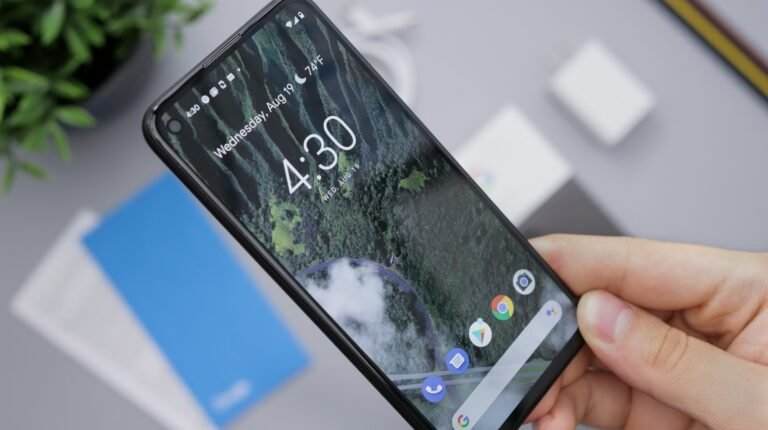
The worst kind of phone bug isn’t the one that crashes an app. It’s the one that stops you from getting into the phone at all. That is what a small but vocal group of Pixel owners say happened after installing Google’s September 2026 update, which began rolling out on September 15 alongside the latest Pixel Drop.
Reports that surfaced on Reddit and were picked up by Android Authority and GSMArena on September 25 describe lock screens that refuse a correctly entered PIN or pattern, trigger the “too many attempts” timer, and leave owners staring at a countdown on a phone they paid close to $1,000 for.
What the lock screen bug actually does
The symptoms differ slightly depending on which unlock method you use, but they share a root cause. As GSMArena put it, the lock screen appears to be “too eager to accept the user’s input before they are done.”
- Pattern unlock: the screen resets before you can connect the second dot, so the phone evaluates a one-dot “pattern” and rejects it.
- PIN unlock: the phone submits after the first digit and immediately shows a “wrong PIN” error.
Because Android doesn’t allow one-dot patterns or one-digit PINs in the first place, every attempt fails. Rack up enough of them and the phone locks you out for several minutes at a time.
One Pixel 10 Pro XL owner said the pattern problem survived a boot into safe mode, a screen cleaning and multiple restarts. A Pixel 8a owner reported the premature PIN behavior. GSMArena also lists the Pixel 8 Pro among affected devices, while Android Authority said its own Pixel 6a test unit was not affected.
How widespread is it?
Probably not very. Android Authority described the issue as “not as widespread” as some recent Pixel bugs, and there’s no count of affected users. That’s cold comfort if you’re one of them, but it does mean most people who already installed the update won’t hit this.
Separately, GSMArena noted complaints of noticeable lag after the update across the Pixel 6, 7, 8, 9 and 10 series. That’s a different, less dramatic problem, but it adds to the sense that September’s release wasn’t Google’s cleanest.
Google hasn’t published a statement or a fix. Its official PixelCommunity support account has, however, been replying in the Reddit threads and reaching out to affected users directly, which usually means engineers are collecting logs.
What to do if you’re locked out
Owners have reported three ways out, none of them great:
- Force a hard restart. Hold the Power and Volume Down buttons together until the phone reboots. At least one user said this cleared the problem. Others said restarting did nothing.
- Wait out the lockout timer and try again slowly. Some owners have gotten back in after the countdown ends, though the bug can simply repeat.
- Factory reset. This works, but it wipes the phone. If your photos, messages and app data aren’t backed up to your Google account, they’re gone.
If you can still get in, the smartest move right now is to confirm your backups are current in Settings > System > Backup. Android Authority also points to switching to a different screen-lock method as a workaround, which is worth considering until Google ships a patch.
Should you hold off on the September update?
If you haven’t installed it yet and your phone is working fine, there’s no harm in waiting a few days to see whether Google pulls or patches it. The September Pixel Drop’s headline features, including the redesigned VIPs widget, the Pause Point digital wellbeing tool and expanded Scam Detection in Gboard, aren’t worth risking a locked phone over.
That said, updates also carry security fixes, and Google pushes much of this feature drop through app updates rather than the system image. Don’t skip the update indefinitely. Just make sure you’re backed up before you tap install.
We’ve seen this pattern before with Pixel releases: a bug hits a slice of users, Reddit lights up, and a fix arrives in a follow-up build. The difference this time is how badly the failure lands. A laggy phone is annoying. A phone that won’t let you in is a real problem, and Google owes affected owners a quick patch and a clear explanation.
Sources: Android Authority, GSMArena, 9to5Google. Photo by Andrey Matveev on Unsplash.

Sidharth
Hey there ! I am Sidharth Shankar, I am an editor at Android Captain. A computer science engineer with 7 years of experience in the technology field, I cover apps, Reviews, AI features, wearables and hands-on how-to guides for Android users.